Recent Posts

Cheap eBay solar panels

There are lots of cheap solar panels on eBay, most of them making outlandish performance claims. A particular offer caught my attention: a small, flexible panel that supposedly produces 300W at 18V. They are available from multiple vendors but it's basically all the same product (here, here and there).

I wanted to have a little fun and see how much juice I could actually get out of those, and if they are worth anything. I was hoping for 150W, and anything beyond 200W would be really good. I also saw some YouTube videos claiming one could build a cheap rheostat by putting some electrodes in salty water, which also sounded fun. Here's a summary of the adventure, where I found out yet again that theory rarely survives an encounter with practice.

Water Heating Element

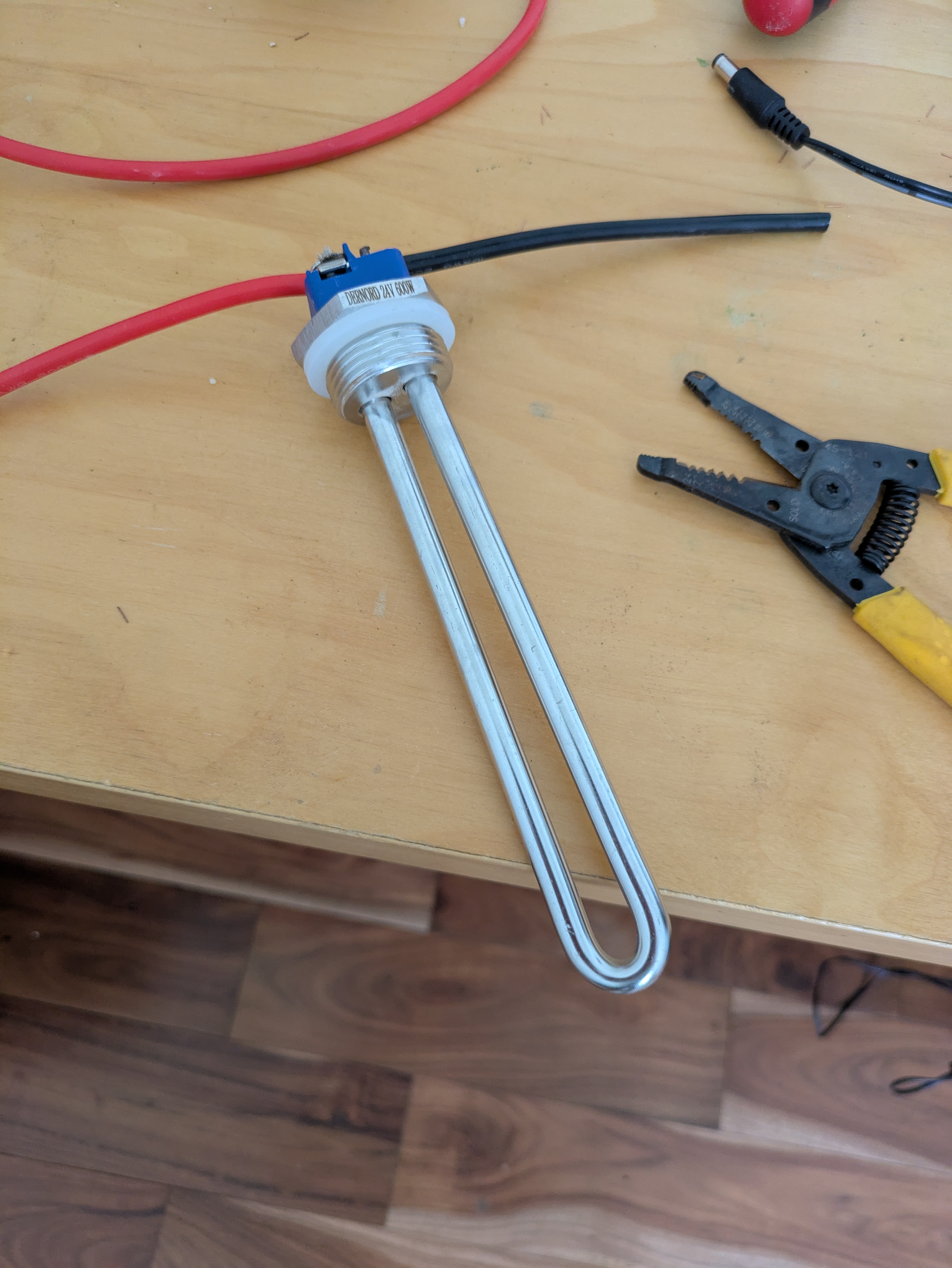
My first attempt involved using a water heating element buried in sand. The one I bought is way off the actual power output of the panels, ended up being completely useless and made something like 10 Watts. At that point I started to understand maximum power point tracking, and since I had no idea what the actual power output of the panels was, I decided I needed a rheostat to find out.

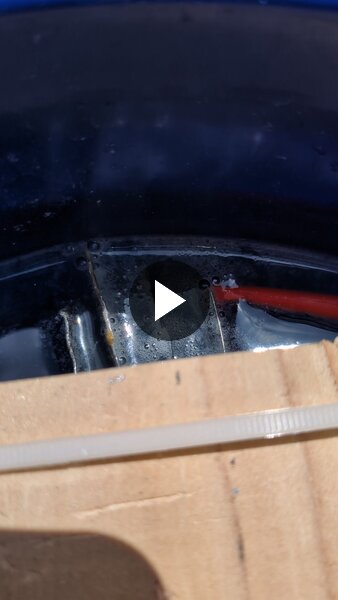
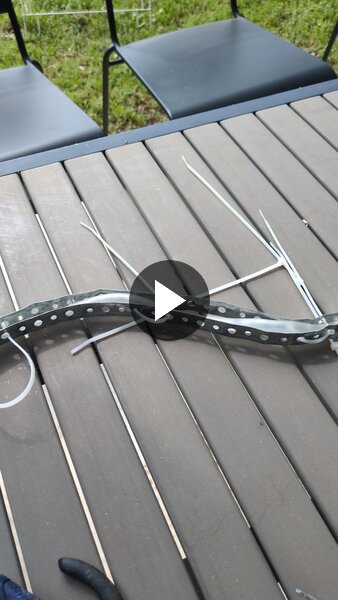
Plates setup video Electrode snake video

I fumbled around making various contraptions: using some thin galvanized plates, even trying a coil of sorts. I learned that distance between the electrodes doesn't matter much, that once you add enough salt there's no point adding more, and that the resistance of my contraptions was way too low, the panels were operating close to short circuit and not producing anything.

I also concluded that Ohm meters are pretty much useless for this, and so are the clamp-style multimeters for measuring current; I needed shunt resistors. My theory about the Ohm meter is that they use a very small voltage and the rheostat setups are non-linear; You are not measuring anything useful unless you are close to your target voltage.

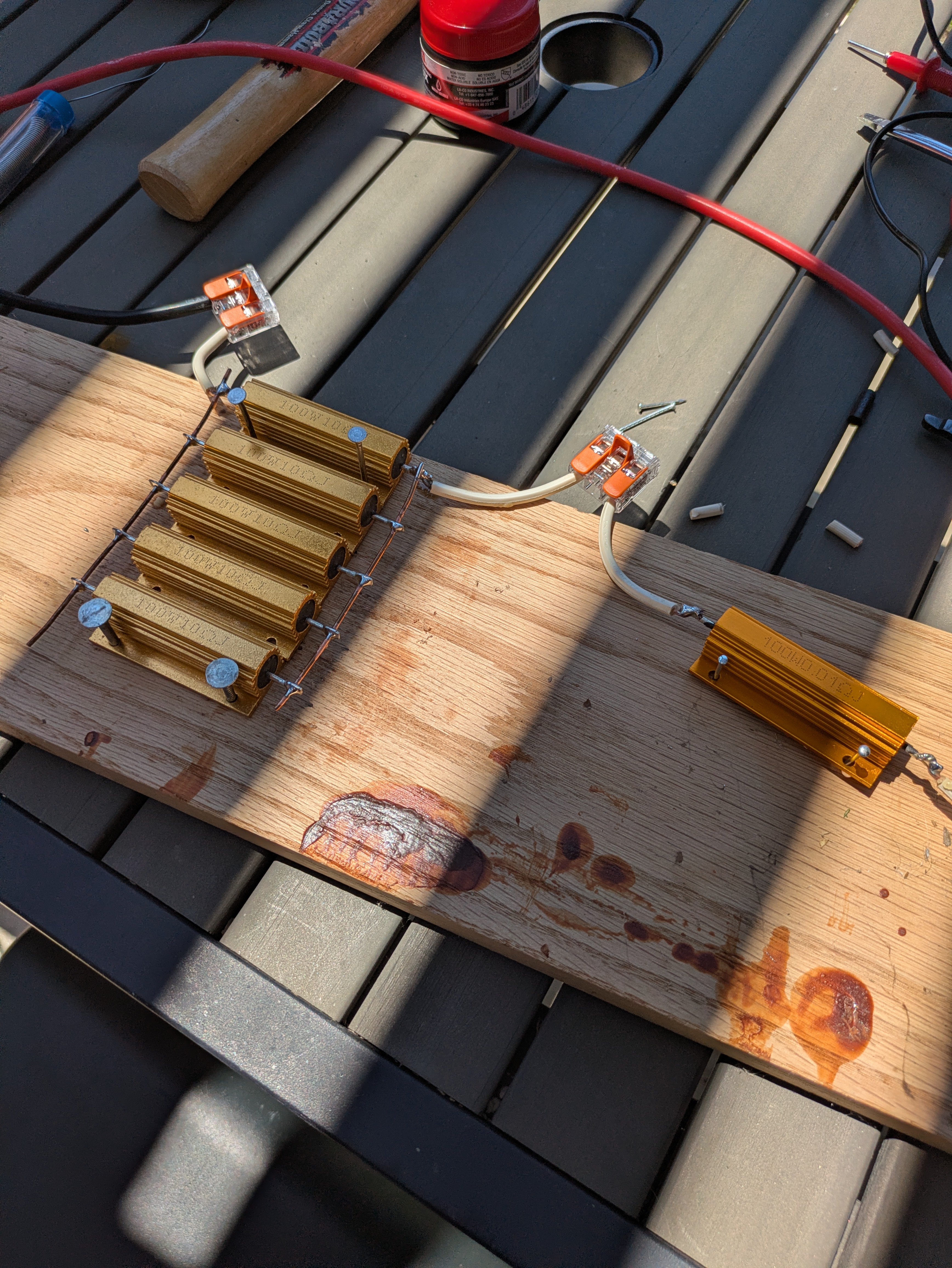
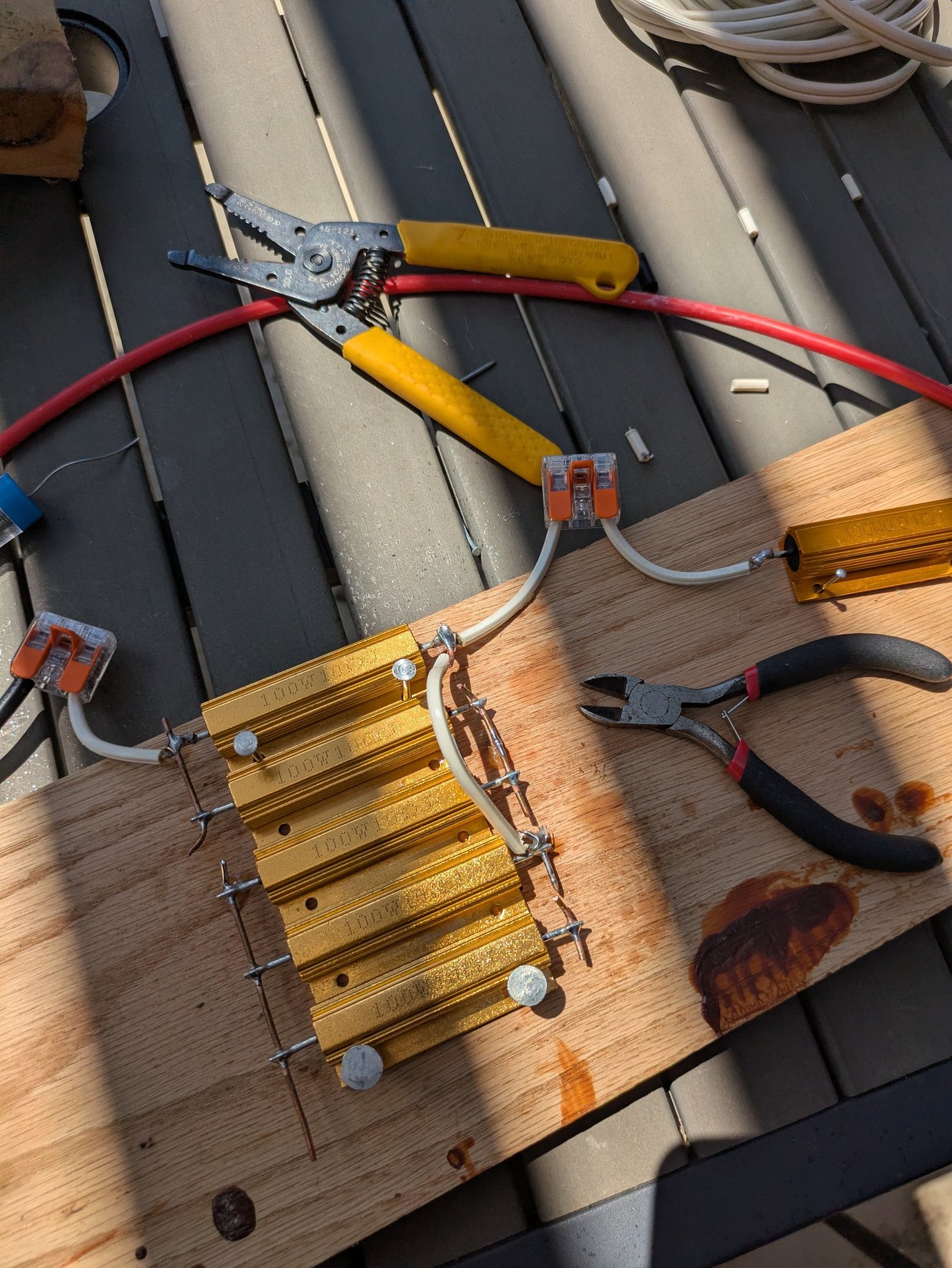
Wire wound resistors and shunt resistors, all connected on a wooden board Resistors in a different, lower resistance arrangement on the same wooden board

I also picked up some wirewound resistors, enough to dissipate up to 500W of power. I wasn't getting anywhere with the electrolyte rheostat, so I wanted to try something different. But redoing the wiring constantly to adjust the resistance is completely unpractical.

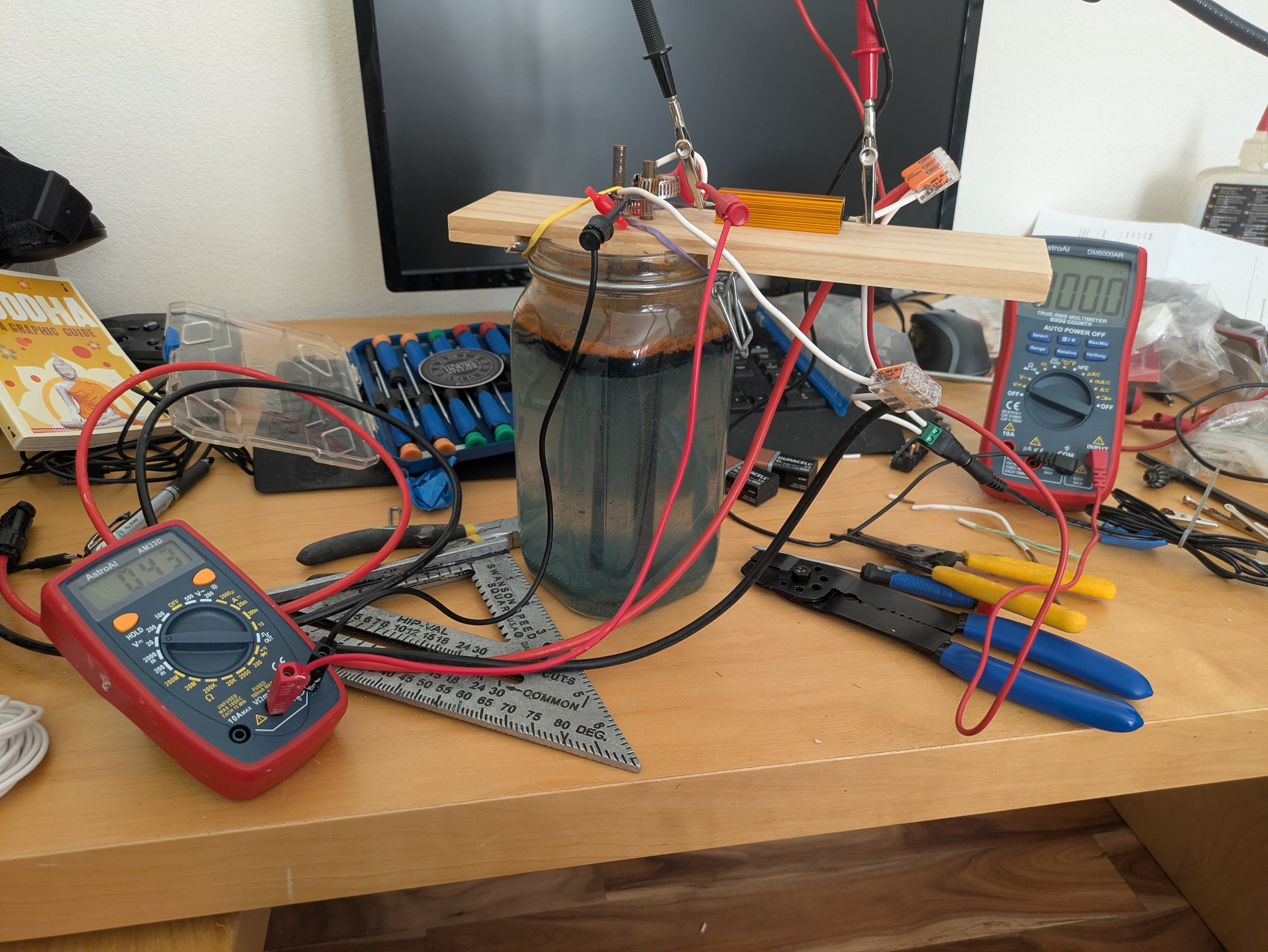
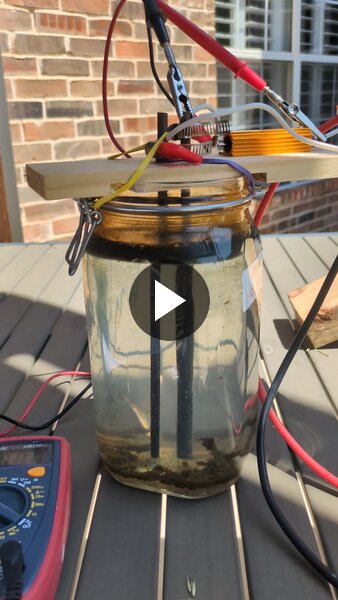
Overview of the rheostat setup, a glass jar filled with salty water, with two steel rods in a wood plate, dipping into the water with an adjustable depth. Water electrolysis in action when plugging in the rheostat

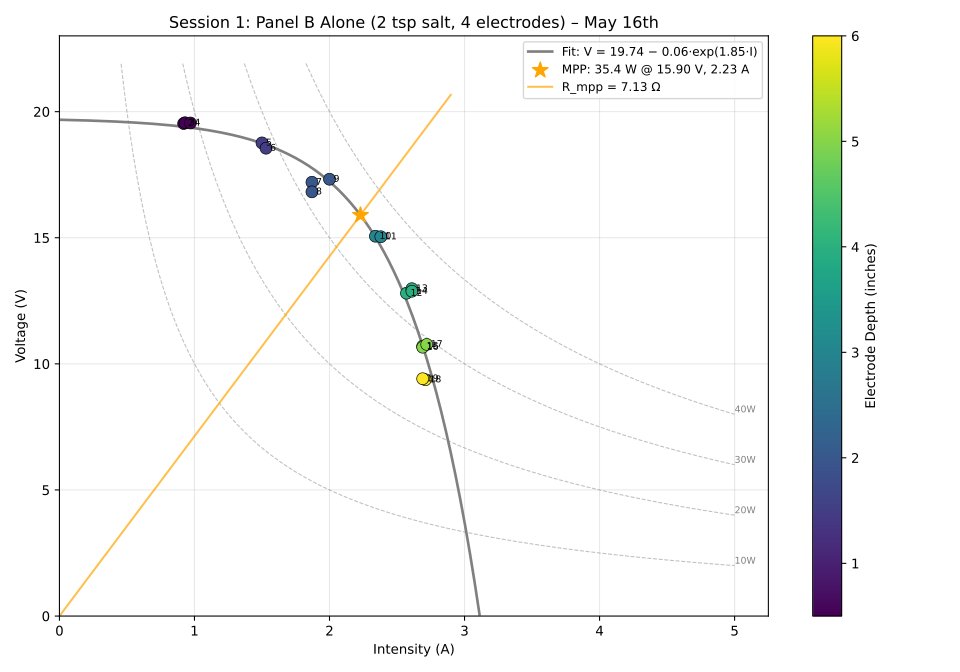
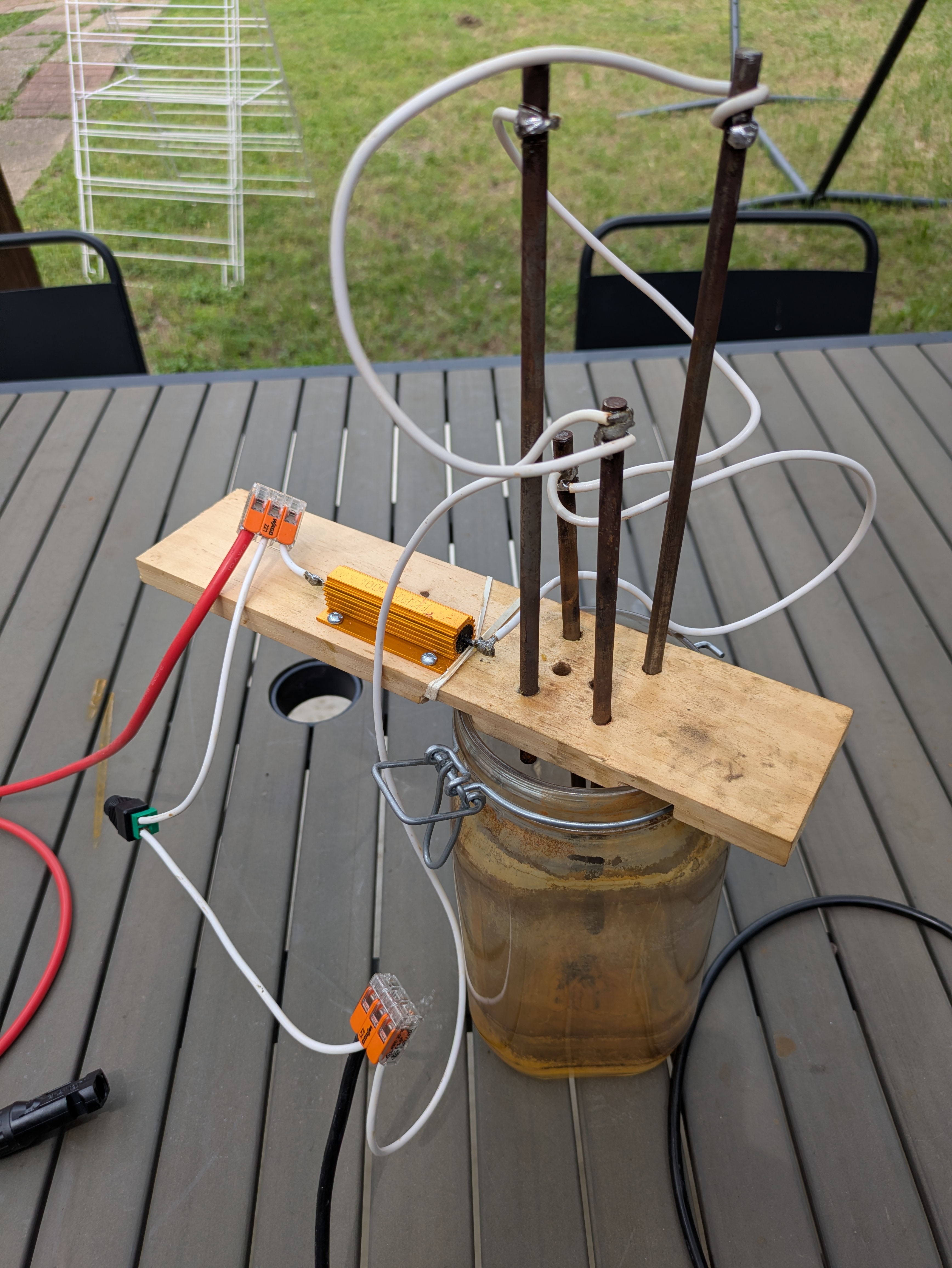
I eventually went back to a rehostat design with steel rod electrodes. Only two at first, then four later so I had more range for adjusting the resistance. With two to three teaspoons of salt (rock salt used to mel ice on driveways) in the water, and the half-inch steel electrodes I am able to range between 3 Ohms and 15 Ohms and explore the "knee" of performance and find the MPP for the panels.

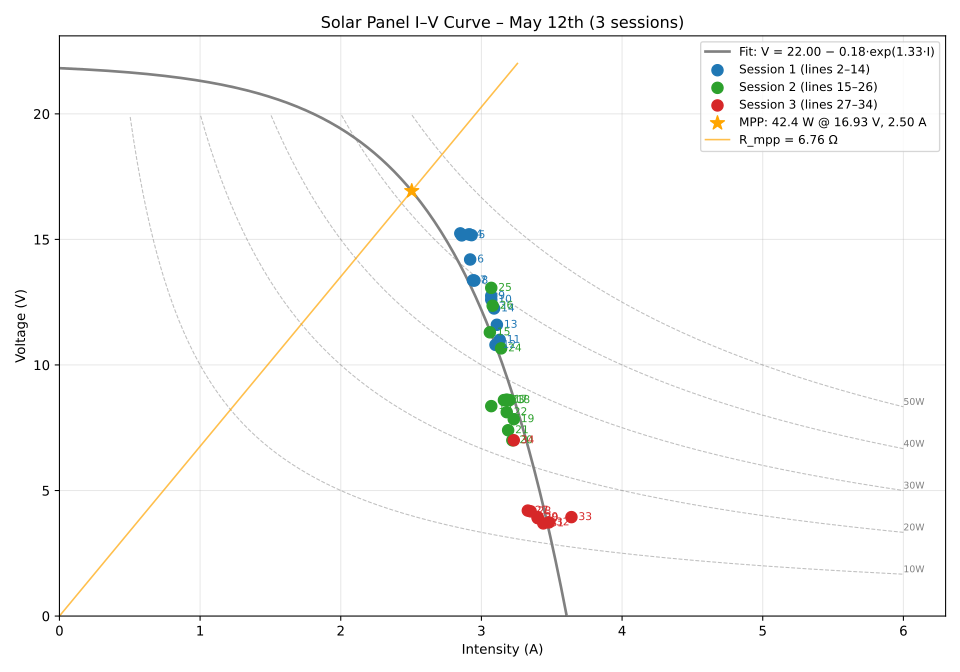
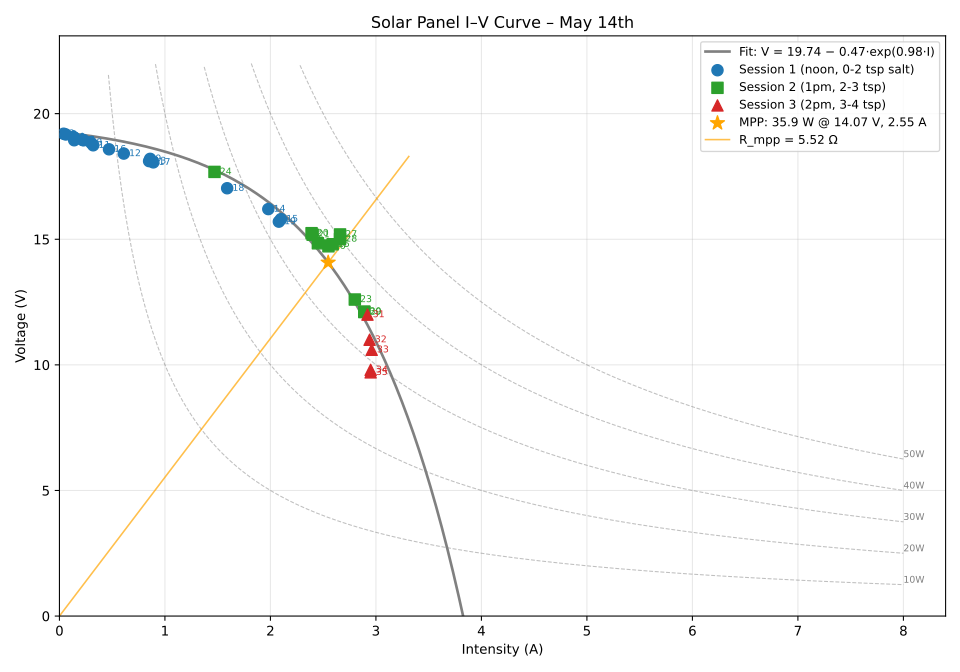
I-V curve May 12th I-V curve May 14th I-V curve May 16th

After a few more days of experiments, during which I found that loose connections can easily create one or two Ohms of parasite resistance and completely screw your results, I got a few sessions of data that I fell are reasonably trustworthy.

Unfortunately I could never get the panels above 40W. It's North Texas in May and my house panels are performing at their top. It was a little hazy though, so maybe on an even better day I could hope for 50W, but I'm reasonably sure those panels will never produce more.

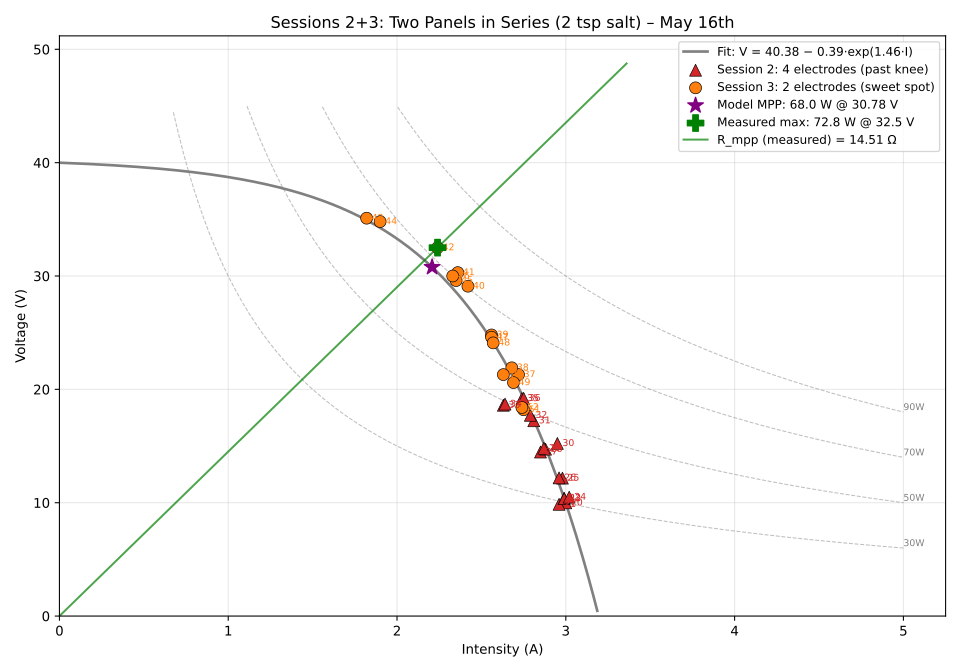
I-V curve May 16th, panels in series Rheostat with four steel rod electrodes

For an extra bit of fun I put the two panels in series and got close to 70W, as expected. That worked at higher voltage and a higher MPP resistance, which was a good way to validate the range on my rheostat design.

What's next? Well, it's raining all of next week for one. I plan to acquire better panels and set them up on my backyard pergola. There should be enough space for about 2kW. That should slot in nicely with an Oupes Mega 3 power station for an off-grid setup. I can't live out of an RV quite yet, but I'm taking steps.


RSS feed and Mastodon comments

We are quite snowed in over here, so I took the time to add a RSS feed and comments support.

I reviewed various options (Disqus, Commento, Staticman), but I've always wanted to leverage Masto for this stuff so we'll give that a try.

See you in the comments!


Cloud GPU instances for dev workloads - worth it?

With RAM prices exploding for consumers, I was wondering if renting cloud systems would be more practical and cost effective now than it used to be. I last had a look at this about 5 years ago, and it was pretty rough.

I went to EC2 as they seem to be the leader of the pack and set up an AMI to play with. I installed Unreal Engine, built some test projects to see what kind of day to day experience I should expect for the basic build and test iteration.

A few details on the setup: I picked Windows Server 2025 in us-east-1 with a 100GB NTFS root volume, and a 250GB ReFS 'Dev Drive'. By some accounts ReFS improves dev workloads (compile times and asset baking) by 15 to 20 percent.

You can pick a standard AMI and install the NVidia drivers yourself. Do not install the public drivers, "Tesla drivers" or "TCC drivers" - they will not give you any graphics capabilities, install the WDDM GRID or gaming drivers instead. It's fiddly and annoying though, so just pick a pre-configured AMI from NVidia.

Now the good surprise - Amazon offers DCV for remote desktop streaming and it's free on EC2. Easy to deploy and easy to use out of the box. It caps out at 60 fps but it'll get you started quickly.

I wanted something a little better so I installed RustDesk, which claims to support up to 120fps streams. If you want more than 30 fps though, you need either a subscription, or direct to IP connection rather than the "peer rendez-vous" system that RustDesk offers by default. That did take some work, poor documentation or maybe I get confused easily. TL;DR just install RustDesk client on both sides and don't bother with the self-hosted Windows services thing. On the server side go into Settings -> Security and Enable direct IP access, and voilĂ .

The not so great part: the best you can get on EC2 are Tesla L40S GPUs (G6e instances). Those are roughly equivalent to GeForce RTX 3060 Ti / Radeon RX 6700 XT - sure they can have up to 48GB of VRAM but that's not particularly interesting in my use case. So you're left with very middle-of-the-road GPUs.

I ran a fillrate limited game with simple shading over 1080p virtual display resolution, balancing out game fps using r.ScreenPercentage to find an optimal point in stream fps and landed on the game scaled 72.9%, 1400x788 at 100fps, and the stream at 60 fps with 70ms latency (nvenc H265).

That feels very serviceable but it's not great. I reproduced this same setup against my personal machine with a RTX 4070 super and at 72.9% 1400x788 the game runs at 145fps and the stream reaches 90 fps with 45 ms latency. That feels noticeably better of course.

Some very basic thinking about cost. I put together a build on PC part picker that I'd call roughly equivalent (GeForce RTX 3060 Ti 12GB, 2TB SSD storage, 64GB RAM, AMD Ryzen 5 5600X 3.7 GHz) for about $2k. The g6.2xlarge is $0.98/hour, round that to $1. Let's say you're disciplined enough to use 50h/week of the instance and turn it off at night (not as easy as it sounds), that's $200 a month in compute costs. Maybe add $50 for your EBS volumes. Your break even is at 8 months.

Unless you're a very small studio and you're trying to get funded, this doesn't seem very appealing. Investors prefer capital expenses over running costs, in my experience they really like to see amortized IT assets on your balance sheet.

For CI and asset bakes, automated regression testing, keeping track of your VRAM / RAM / game and render time envelopes this can be a nice solution. There are other advantages of course, you can scale your specs up and down quickly, you can onboard a little faster..

If you want really high end GPUs, Google offers the RTX PRO 6000 (96GB) - but it'll cost you ($3.5 to $4 / hour). Then there's a dozen smaller cloud companies specialized in GPU hosting (GPUHub, Vast.ai etc.) with more competitive pricing but they are focused on inference and it's not clear they'll support graphic workloads.


Blog restored

My blog was hosted on typepad until last summer, when the antique and deserted platform decided to close for good, with very little heads up and quickly trashed all it's remaining content without offering any backups. I didn't have the time or energy to do anything about it then, and I thought that I had a backup anyway, so I let that slide.

Welp.

Lucky for me, archive.org has a recent snapshot, all posts, images and comments.

We are now self hosted on the Lektor CMS.

https://blog.ttimo.net/ is the forever home for this blog now.

Recovering and converting from archive.org was a pretty involved process, I had to extract out the content from the html soup and iterate quite a bit to put things back in a readable state. It's probably still a little messed up in places, let me know if you notice something.

Now, I don't think the content on here was all that important - a lot of it is very outdated - but it's a nice historic record for myself and I'm hoping to start posting more regularly again. New year resolutions and all that.

I don't have a comment system in place yet. I'll get to that. Get on Mastodon in the meantime.

I donate to archive.org and you should too .. not just for saving my crap, but for all the other great stuff they do!


Certificate verification of sites backed by letsencrypt in python

A follow up to my post a few months back about setting up letsencrypt certificates for appengine sites .. I found that when accessing the site with python requests or urllib.request modules, I was still getting a SSL certificate verification failure "unable to get local issuer certificate". Browsers however have no problem with the site so it didn't seem like a general problem with my setup.

I found a somewhat old SO issue about this but none of the solutions really worked out. That did put me on the right track to produce this fix though:

# appengine backend by a letsencrypt certificate
TEST_URL='https://core-drones.corecomplex.cc/testSSL'

import os
import ssl
R10_PEM=os.path.abspath('letsencrypt-r10.pem')
context = ssl.create_default_context()
context.load_verify_locations(cafile=R10_PEM)

import urllib.request
response = urllib.request.urlopen(TEST_URL, context=context)
print('urllib.request success')

# verify takes the path to a CA bundle, we want the certifi bundle + our extra R10
import shutil
import certifi
ca_bundle_path = os.path.abspath('ca_bundle.pem')
shutil.copyfile(certifi.where(), ca_bundle_path)
ca_bundle = open(ca_bundle_path, 'at')
ca_bundle.write(open(R10_PEM, 'rt').read())
ca_bundle.close()
print(f'prepared {ca_bundle_path} from R10 cert and {certifi.where()}')

import requests
response = requests.get(TEST_URL, verify=ca_bundle_path)
print('requests.get success')

And the accompanying letsencrypt-r10.pem issuer certificate. I extracted this by following the certificate information in my browser and downloading the R10 PEM file.

This url on my test site gives a good overview of what is going on and reports "certificate chain is incomplete". My understanding is that browsers don't carry the R10 certificate, but they are smart enough to download it on the fly to verify the chain. Python needs a little help, requests being the more annoying module as it doesn't support adding certificates, so you need to pull the current set from certifi and append to it yourself. Pfew!

Update 1/20 - I had a very instructive follow up conversation with another Mastodon user who obviously understands the intricacies of certificate verification better than I do, concluding that this is likely a bug in google's appengine setup ..